Manual business records
The client describes manually managed work that created confusion and took extra time.
SS49 D1T1TECH built a browser-based financial console connecting counter sales, poultry inventory, customer and supplier accounts, reporting, and thermal receipt printing.
The client describes manually managed work that created confusion and took extra time.
Billing, stock, payments, and party ledgers are handled in one deployed application.
The owner can review transaction histories behind balances and export Excel or PDF reports.
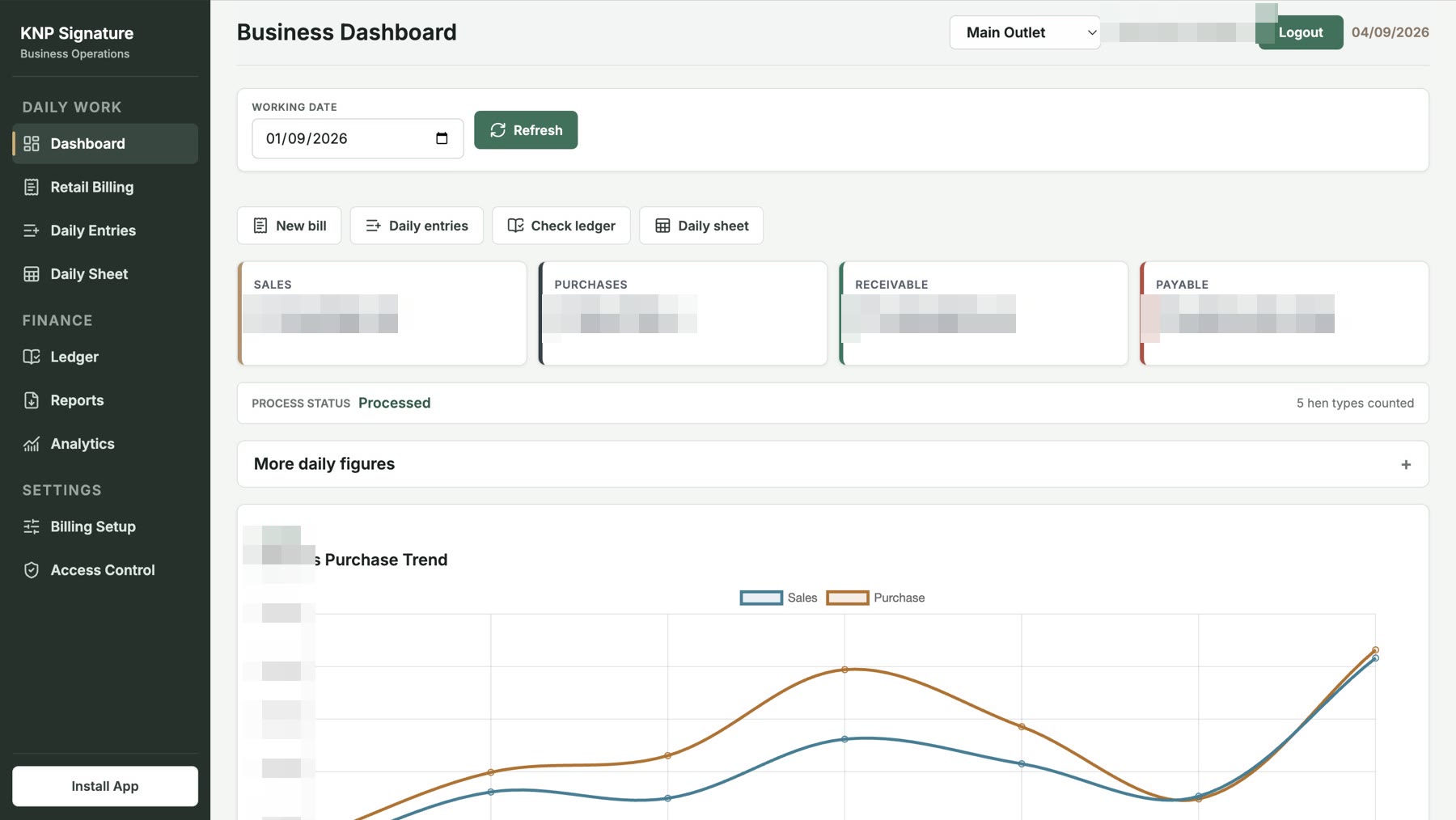
Staff can move between retail billing, daily entries, ledgers, and reports. The dashboard brings sales, purchases, receivables, and payables together for review.
Explore the screenshots →KNP purchases poultry from suppliers and sells to shops, hotels, and individual customers. Live-bird trading and dressed-product sales share the same business, but do not consume inventory in the same way. Products can be purchased under one source category and sold under several names.
A party can be both a customer and a supplier. Counter staff need to issue bills while the owner needs traceable balances and a view of the day's activity. The application connects these tasks rather than treating billing, stock, and finance as separate records.
Configurable item shortcuts support repetitive counter entry. Bill lines capture bird count, weight, rate, and amount, with automatic weight calculation where required. Sales can be recorded on credit, partly paid, or fully paid.
Daily numbering, searchable history, bill references, party suggestions, stored phone details, and authorised editing support both service at the counter and later checks. Safeguards address numbering conflicts and duplicate submissions when owner and staff work at the same outlet.
Purchases, sales, and payments connect to party records through direct entry or structured file imports. Accounts include opening balances, running histories, bill references, payment direction and method, and search by name and date range.
Receivables and payables are calculated separately, including for parties that act as both customer and supplier.
Inventory tracks bird count and weight. Source bird types are distinguished from selling names, so retail products and shortcuts can be mapped to the stock they consume.
Expected live closing stock = Opening live stock + Purchases − Live sales − Birds taken for dressing − Mortality.
Live sales, dressing, and mortality are separate movements. Birds taken for dressing leave live inventory at that step, rather than being deducted again when dressed products are sold.
Daily sheets bring together sales, purchases, collections, party balances, and stock for a selected date. Statements support account follow-up, while stock summaries show differences between expected and counted inventory.
Excel, PDF, and report-image exports serve different reporting needs. WhatsApp sharing workflows help staff prepare bills and statements for customers. Missing source information or unreliable calculations are shown with warning or unavailable states.
Setup covers party directories, opening financial balances, and opening stock. Daily imports support supplier purchases, customer sales, and payments.
Downloadable templates, upload previews, and row-level errors help users prepare and check structured files. Owner and staff access separate responsibilities, including permission to edit existing bills.
Responsive layouts support laptop and mobile use, with an installable web-app experience. A local print bridge connects browser billing to thermal receipt printing at the counter.
The implementation included Windows startup setup to reduce repeated manual printer-service steps. Receipt layouts were refined to align bird-count, weight, and amount totals for counter use.
Client feedback informed navigation, task grouping, form labels, and scrolling. Growing bill history was addressed through paginated loading and more focused data retrieval.
When the ledger model changed, a dated transition preserved historical calculations and carried balances into the upgraded model.
The delivered outcome is a connected finance workspace: staff can record daily transactions, while the owner can review stock, payments, and outstanding balances in the same system.
Purchase stock → Create sales bills → Record payments → Review party accounts → Count physical stock → Reconcile the day → Carry closing stock forward.
The gallery shows billing, ledgers, exports, and analytics. Sandeep Singh Alag describes his experience with the system below.
See the delivered workflows →Read client reviews →“Billing, stock, payments, and balances all feel much more clear and under control.”
Talk with SS49 D1T1TECH about the workflow, scope, and delivery plan.